
 0330 822 28 78
Do you need mesh Wi-Fi in your home?
12/01/2026
Wi-Fi dead zones, buffering videos, and dropped video calls can be frustrating when you're paying for fast broadband but can't access it throughout your home. This is where mesh Wi-Fi systems promise to solve your connectivity problems, but you may ask yourself if you need mesh Wi-Fi for your specific situation.
What is mesh Wi-Fi, and how is it different from a regular router?
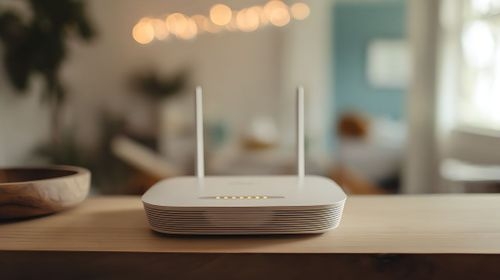
A traditional router broadcasts Wi-Fi from a single point in your home, typically where your broadband connection enters the property. As you move further away or through walls, the signal weakens.
Mesh Wi-Fi takes a different approach. Instead of one router doing all the work, a mesh system uses multiple devices (called nodes or points) placed throughout your home. These nodes work together to create a seamless wireless network with consistent coverage in every room.
How mesh nodes work together
Each mesh node communicates with the others, creating a "mesh" of Wi-Fi coverage across your property. When you move from room to room, your device automatically connects to the nearest node without you noticing any transition. There's no need to manually switch between networks or deal with different network names for upstairs and downstairs. The main router node connects to your broadband, whilst additional satellite nodes plug into power outlets around your home. They intelligently route your data through the strongest path, ensuring optimal performance wherever you are.
Mesh Wi-Fi vs Wi-Fi extenders
You might wonder whether traditional Wi-Fi extenders offer a simpler solution. Wi-Fi extenders boost your existing signal, but they create separate networks with different names. You'll need to manually switch networks as you move around, and extenders typically halve your bandwidth because they use the same channel to communicate with your router and your devices. Mesh systems create one seamless network, intelligently manage connections, and use dedicated channels for communication between nodes. The result is better performance and a more convenient experience.
Do you need a mesh router or a standard router?


Not everyone needs mesh Wi-Fi, and for some households, a quality standard router provides perfectly adequate coverage.
Signs your current Wi-Fi setup isn't enough
You probably need to upgrade to mesh Wi-Fi if you experience these issues regularly:
Dead zones where Wi-Fi simply doesn't reach: Bedrooms, home offices, or garden areas with no usable signal indicate your single router can't cover your entire property. Inconsistent speeds between rooms: If you get 200 Mbps downstairs but only 20 Mbps upstairs despite having a fast broadband fibre, your router's signal isn't reaching effectively. Dropped video calls when moving around: Professional video conferences shouldn't drop when you walk from your office to the kitchen. If they do, your coverage has gaps. Buffering and lag in certain rooms: Streaming should work smoothly throughout your home. If certain rooms consistently struggle whilst others work fine, coverage is the issue. Multiple people complaining about Wi-Fi: When family members regularly report connection problems in different areas, you've outgrown your single router's capabilities. Smart home devices disconnecting: Devices like security cameras, smart speakers, and thermostats positioned far from your router may struggle to maintain stable connections.
When a single router is still good enough
You probably don't need mesh Wi-Fi if your home is relatively small (one or two bedrooms), your router is centrally located, you rarely experience dead zones or slow speeds in any room, and most of your devices are used near the router. Modern quality routers have improved significantly and can cover small to medium properties effectively, especially homes with open floor plans and minimal obstacles.
You probably don't need mesh Wi-Fi if your home is relatively small (one or two bedrooms), your router is centrally located, you rarely experience dead zones or slow speeds in any room, and most of your devices are used near the router. Modern quality routers have improved significantly and can cover small to medium properties effectively, especially homes with open floor plans and minimal obstacles.
Do you need whole-home Wi-Fi coverage?
This depends on how you actually use your home and internet connection. Not every room necessarily requires strong Wi-Fi coverage.
House size, layout and building materials
Property size significantly impacts whether you need mesh Wi-Fi. Flats and small homes under 1,000 square feet typically work fine with a single quality router. Medium homes (1,000-2,500 square feet) might manage with one router if it's centrally positioned, though mesh often improves the experience. Large homes over 2,500 square feet almost always benefit from mesh systems.
Layout matters as much as size. Open-plan homes allow Wi-Fi signals to travel freely, whilst homes with many walls, especially thick stone or brick walls, block signals effectively.
Building materials impact signal strength dramatically. Modern plasterboard walls barely affect Wi-Fi, but solid brick, stone, concrete, and metal studs significantly reduce signal penetration.
Wi-Fi signals also struggle to travel vertically through floors, especially concrete or timber with underfloor heating.
Number of devices and online activities
Modern households connect dozens of devices simultaneously. Smartphones, tablets, laptops, smart TVs, gaming consoles, security cameras, smart speakers, and other devices all compete for bandwidth and reliable connections.
If you regularly have 10-15+ connected devices, especially if they're spread throughout your property, mesh Wi-Fi ensures everything maintains strong connections. Homes with multiple people working remotely, students attending online classes, or family members streaming and gaming simultaneously particularly benefit from mesh systems' ability to handle numerous devices efficiently.
How many mesh nodes do you need in your home?

Once you've decided mesh Wi-Fi suits your needs, determining how many mesh nodes you need ensures you purchase the right system without overspending on unnecessary hardware.
Small homes and flats
Smaller properties typically work well with a two-node mesh system (one main router node plus one satellite). This setup covers most one or two-bedroom flats and small houses comfortably. Position the main node where your broadband enters, and the satellite node at the opposite end of your property.
Medium and large houses
Medium-sized homes generally need three nodes for comprehensive coverage. This allows you to position one node on each floor of a two-storey house or space them throughout a single-storey property to eliminate dead zones. Large homes benefit from three to four nodes. The exact number depends on layout and building materials. Very large properties exceeding 5,000 square feet might require four to six nodes.
Multi-storey homes and thick walls
Generally, you'll want at least one node per floor, positioned to provide overlapping coverage with nodes on adjacent floors. Placing nodes near stairwells can help signals travel between floors more effectively. Homes with particularly thick walls, solid stone construction, or metal-frame buildings may need additional nodes beyond what property size alone would suggest. If your current single router struggles to penetrate walls even in nearby rooms, plan for extra nodes to ensure reliable coverage.
Is mesh Wi-Fi worth it for your home?
It ultimately comes down to balancing cost against the value of reliable, whole-home coverage.
The investment makes sense if you're currently struggling with coverage issues that impact your daily life. Working from home, online education, streaming throughout your property, and managing smart home devices all benefit significantly from consistent Wi-Fi coverage. The frustration of dropped connections, buffering, and dead zones often justifies the additional cost. However, if your current router adequately covers your home and you rarely experience connectivity issues, upgrading to mesh Wi-Fi provides minimal practical benefit.
At Hey!Broadband, we understand that our broadband deals only deliver their full value when you can access the connection throughout your home. Our UK-based support team on 0330 822 2878 can discuss your specific property and usage needs to help determine whether mesh Wi-Fi would improve your experience.