0330 822 28 78
What is the best placement for a Wi-Fi router in your home?
16/11/2026
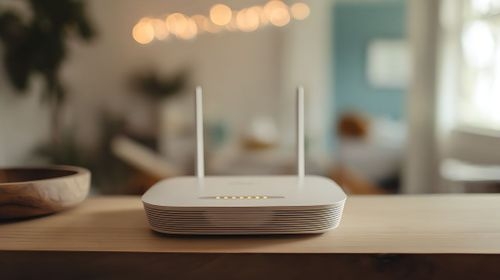
The best placement for a Wi-Fi router is usually in a central, open and slightly elevated position in your home. Keeping it away from thick walls, large metal objects and electrical appliances can help the Wi-Fi signal travel more evenly between rooms.
Router placement matters because Wi-Fi is sent wirelessly from one point in your home. The further your devices are from that point, or the more obstacles the signal has to travel through, the weaker the connection can become.
So, before changing your broadband package or buying extra equipment, checking your router position in the house is a simple place to start.
Where should you place your router for the best Wi-Fi signal?
For most homes, the optimal router placement is close to the centre of the areas where you regularly use Wi-Fi.
Imagine your router sending its signal out around it rather than directly towards a particular laptop or television. If you put it at one end of the house, some of that coverage is effectively being sent outside while rooms at the opposite end receive a weaker signal.
Try to choose a location that is
- relatively central within the property
- open rather than hidden inside furniture
- close to the rooms where Wi-Fi is used most often
- away from large physical obstructions
If your router has to stay close to where the broadband connection enters your property, small adjustments can still make a noticeable difference.
If weak Wi-Fi is only one of several problems you are experiencing, our guide to why fibre broadband can be slow and how to fix it looks at other common causes.
How high should your Wi-Fi router be positioned?
A Wi-Fi router generally performs better when it is raised above floor level and kept in the open.
Putting your router on a table, shelf or suitable piece of furniture can give the signal a clearer path around the room. By comparison, placing it directly on the floor or behind large furniture introduces extra obstacles before the signal has even reached another room.
You do not need to mount your router close to the ceiling. The goal is simply to avoid putting it in a low, enclosed position.
A practical location around table or shelf height will often work well, provided the router has space around it and is not covered by other objects.
Where should you avoid placing your Wi-Fi router?
Avoid placing your router anywhere that blocks or interferes with the Wi-Fi signal.
Cupboards may keep cables out of sight, but an enclosed cabinet is rarely the best location for a router. Corners of the house, floors, garages and rooms separated by several thick walls can also make it harder to provide consistent coverage elsewhere.
Large metal objects can be particularly problematic because metal can obstruct wireless signals. That makes positions behind televisions, filing cabinets or other substantial metal objects worth avoiding.
Aquariums can also affect Wi-Fi because water can absorb part of the wireless signal.
In short, when choosing a router location in your home, prioritise open space over whichever spot hides the router most neatly.
Which household objects and appliances can interfere with your Wi-Fi signal?
Some everyday household items can make router placement for the best signal more difficult.
Microwave ovens, cordless phones and other electrical equipment can create wireless interference, particularly on the 2.4 GHz Wi-Fi frequency. Large televisions, mirrors, metal surfaces, thick walls and floors can also weaken the signal as it travels through your home.
That does not mean every appliance will immediately cause a Wi-Fi problem. Distance and the layout of your property both matter.
As a general router placement tip, leave some space between your router and other electronics rather than grouping everything together in the same corner.
Our guide to improving your internet speed at home covers further checks you can make if your connection still feels slower than expected.


What is the best router position in a two-storey house?
In a two-storey home, the best placement for the router is normally somewhere that gives the signal a reasonable route to both floors.
A central room can be more useful than putting the router at the far edge of the ground floor. If possible, positioning it around the middle of the property and away from thick walls gives Wi-Fi a better chance of reaching rooms above and below.
Every home is different, though. Floors, building materials, extensions and the position of staircases can all affect how Wi-Fi travels.
Larger houses and properties spread across several floors are also more likely to develop Wi-Fi blackspots that router placement alone cannot completely solve.
How can you test whether your router is in the optimal position?
The easiest way to check your router placement is to test the Wi-Fi connection in several parts of your home.
Start close to the router and then repeat the test in bedrooms, home offices, living spaces or anywhere you regularly connect devices.
Look for patterns rather than relying on a single result. If the connection is strong near the router but drops noticeably in one part of the property, coverage is more likely to be the issue.
You can then move the router slightly and repeat the same tests.
When comparing results, remember that Wi-Fi performance can also depend on the device you are using, your home's layout and the distance from your router. A wired
Ethernet connection will normally provide a more direct indication of the broadband speed reaching your router.
Can mesh Wi-Fi improve coverage when you can't move your router?
Yes. Mesh Wi-Fi can help extend coverage when a single router cannot provide a strong signal throughout your home.
Instead of relying on one wireless access point, mesh systems use additional nodes around the property to create broader Wi-Fi coverage. This can be particularly useful in larger homes, multi-storey properties or rooms separated from the main router by several walls.
Hey!Broadband's Mesh WiFi solution uses Nokia WiFi Beacons to extend coverage and help reduce Wi-Fi blackspots around the home.
Getting your router position right should still be the first step. If your home simply has areas that one router struggles to reach, mesh Wi-Fi gives you another way to bring the connection closer to the devices that need it.
Ready to make more of your home broadband? Explore Hey!Broadband's full fibre broadband deals, check availability at your address or call our friendly team on 0330 822 28 78 to find the right speed and Wi-Fi setup for your household.